BrunnerCTF - Secret Storage
Last weekend I played in BrunnerCTF. The challenges looked to be on the easier side, with most challenges having over 100 solves, so I decided to try a challenge in a category other than reversing for once.
Challenge overview
BrunnerCorp needed a new secret vault for their various needs, but license fees are too expensive nowadays! Thankfully, the intern had a ChatGPT Plus subscription, which is all they needed. Unfortunately the pentesters found the source code on a public GitHub along with an encrypted vault export, but that shouldn’t be a problem… right? Oh and they phished one of the users. Here’s their creds:
maya.chen@brunnercorp.tld:Odense2026!
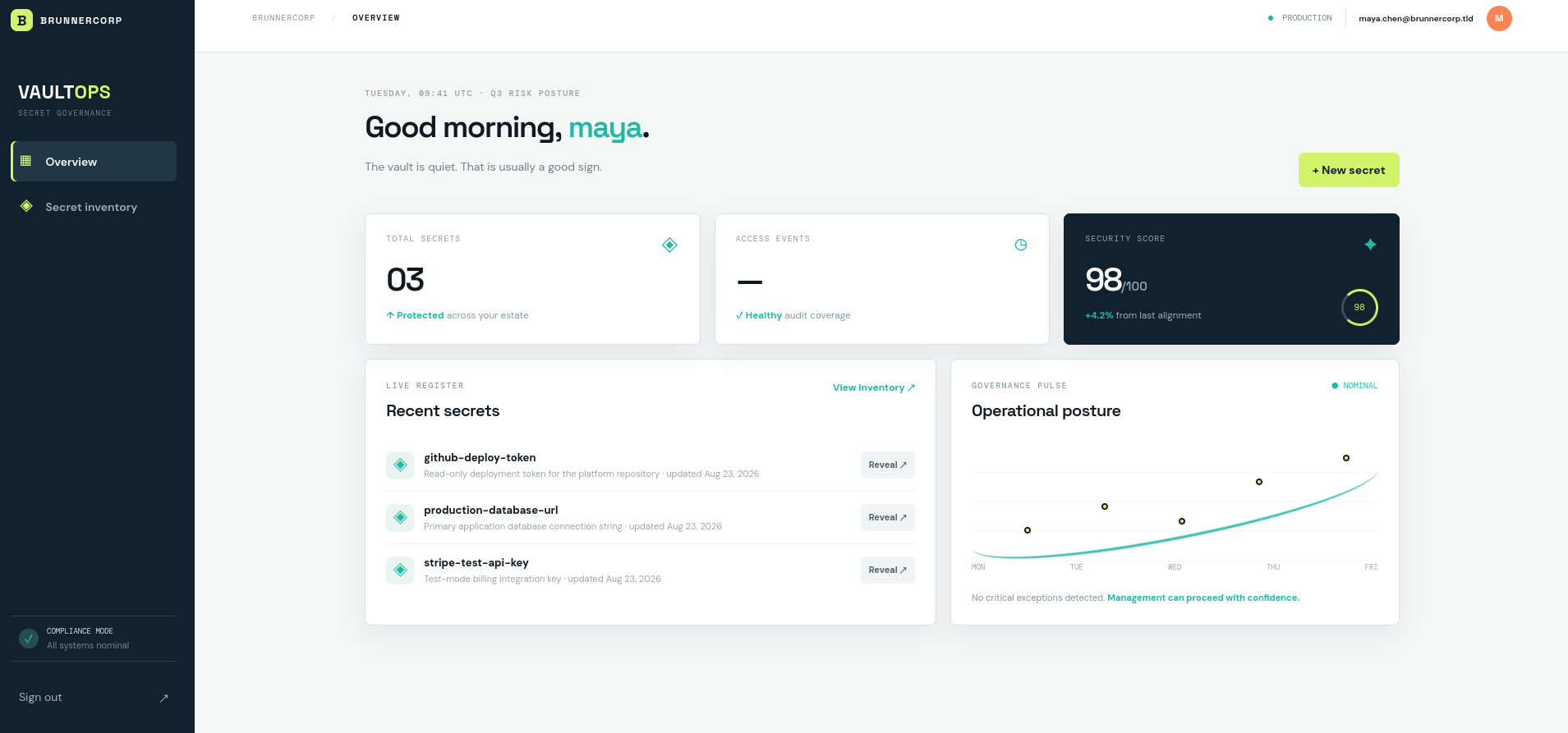
We’re given a web application for some kind of “secrets manager” application, along with an exported secrets vault. One of the exported secrets is, of course, the encrypted flag.
My first instinct was to look at the encrypt and decrypt helper functions that are used for the bulk of the cryptography in this challenge. Unusually for a crypto challenge, though, the algorithm is pretty standard.
def encrypt(value: str, key: bytes, associated_data: str) -> str:
    nonce = os.urandom(12)
    ciphertext = AESGCM(key).encrypt(nonce, value.encode(), associated_data.encode())
    return base64.urlsafe_b64encode(nonce + ciphertext).decode()


def decrypt(token: str, key: bytes, associated_data: str) -> str:
    try:
        raw = base64.urlsafe_b64decode(token.encode())
        return (
            AESGCM(key).decrypt(raw[:12], raw[12:], associated_data.encode()).decode()
        )
    except (ValueError, InvalidTag, UnicodeDecodeError) as exc:
        raise ValueError("ciphertext authentication failed") from exc
The encryption uses AES-GCM with a random nonce, and the tag is validated on decryption. AES-GCM is a standard and secure encryption algorithm, so we can’t solve the challenge by breaking it. Instead, we’ll have to look for some kind of implementation mistake that we can use to trick the server into decrypting the flag for us.
The most promising-looking function for this is import_vault. We have an exported vault, so it would make sense for us to be able to import the vault and have the server decrypt the flag with its key.
@api.post("/api/v1/vault/import")
@role_required("admin")
def import_vault():
    body = request.get_json(silent=True) or {}
    if body.get("format") != "vault-export-v1" or not isinstance(
        body.get("secrets"), list
    ):
# [...]
However, there are two problems with this:
import_vaultcan only be called by an admin, which we aren’t.import_vaultexpects us to supply our own key for the vault decryption, rather than using the key known to the server.
Getting admin
When we log into the site, a cookie called secret_storage_session is used to save our login session. The cookie data is a long base64 string, presumably encrypted.
Looking at the open_session function of the EncryptedSessionInterface class, we can see how the session cookie is used. The cookie is encrypted and decrypted using the same encrypt and decrypt helper functions that are used for the secrets, with the hard-coded AAD string secret/session/v1.
def open_session(self, app, request):
	token = request.cookies.get(app.config["SESSION_COOKIE_NAME"])
	if not token:
		return self.session_class()
	try:
		payload = decrypt(token, self.key, "secret/session/v1")
		return self.session_class(json.loads(payload))
	except (ValueError, json.JSONDecodeError):
		return self.session_class()
This is a pretty standard way for login sessions to work. The server encrypts the user’s session information using some kind of authenticated encryption scheme and sends back the ciphertext. Then, each time the user accesses the site, the cookie is sent to the server, where it’s decrypted on the server side. Since the user doesn’t know the key, the server knows the cookie could only have been issued by the server itself.
So, what key is being used in our EncryptedSessionInterface instance? It turns out to be the same SECRET_ENCRYPTION_KEY that’s being used to encrypt and decrypt the secrets:
def create_app(config_class=Config):
    app = Flask(__name__)
    app.config.from_object(config_class)
    app.session_interface = EncryptedSessionInterface(
        app.config["SECRET_ENCRYPTION_KEY"]
    )
    app.teardown_appcontext(close_db)
    app.register_blueprint(api)

    with app.app_context():
        init_db()

    return app
Since we have the ability to create new secrets, we can take advantage of this to get the server to encrypt an admin session cookie for us. This is how secrets are encrypted in the create_secret function.
ciphertext = encrypt(
	body["value"],
	current_app.config["SECRET_ENCRYPTION_KEY"],
	f"secret/{body['name']}",
)
The AAD string for the encrypted secret is the string secret/ followed by the name of the secret. If we name a secret session/v1, then we can encrypt the text of the secret with the secret/session/v1 AAD string that is used to validate the session cookie.
To get an idea of the format of the session cookie, I started up a local instance of the challenge using a known SECRET_ENCRYPTION_KEY of all zeroes, then decrypted the cookie for my own session as maya.chen:
{"user_id":3,"role":"editor"}
In init_db, the admin account’s information is inserted before the accounts of the three normal users, so we’ll want to set our user_id to 1 . (The role information for each user is actually checked against the roles in the database, not the role in the session cookie JSON, so simply setting "role":"admin" in the cookie without changing our user ID doesn’t help us.)
def init_db():
    db_path = current_app.config["DB_PATH"]
    db_path.parent.mkdir(parents=True, exist_ok=True)
    db = get_db()
    db.executescript(SCHEMA)
    db.commit()
    if current_app.config.get("BOOTSTRAP_ADMIN_PASSWORD"):
        email = current_app.config["BOOTSTRAP_ADMIN_EMAIL"].lower()
        db.execute(
            "INSERT OR IGNORE INTO users(email,password_hash,role) VALUES(?,?,?)",
            (
                email,
                generate_password_hash(current_app.config["BOOTSTRAP_ADMIN_PASSWORD"]),
                "admin",
            ),
        )
        db.commit()
    seed_data()
We can then create the secret:
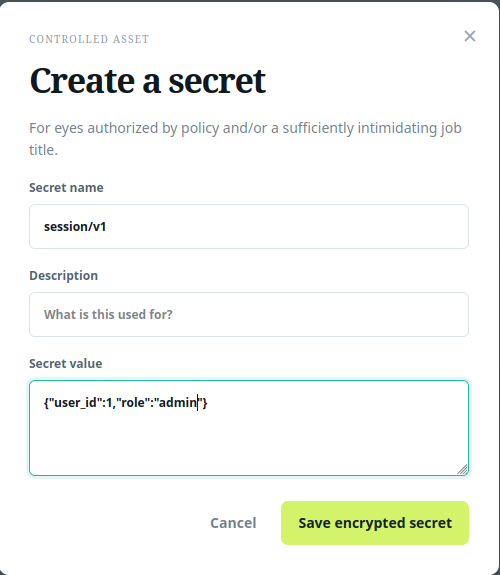
Exporting the vault, we obtain the ciphertext fof the session cookie.
{
	"ciphertext": "fUzmLWhoCazUgGLUkaA0YvBW0G70YCQ0t9ZgiyGUDK-4t_46vbiXzszt6vS0SUnNrKUpAXgXl9M=",
	"created_at": "2026-08-22 17:31:29",
	"description": "",
	"id": 5,
	"name": "session/v1",
	"owner_id": 3,
	"updated_at": "2026-08-22 17:31:29"
}
Setting the text of the secret_storage_session cookie to the exported ciphertext, we’re now logged in as admin.
Decrypting the flag
import_vault
We can now call import_vault, but we still need to figure out how to use it to decrypt our flag. import_vault expects us to pass in the key to the imported vault, which of course we don’t have.
Specifically, import_vault does the following:
nonce, encrypted = raw[:12], raw[12:]
value = (
	AESGCM(source_key)
	.decrypt(nonce, encrypted, f"secret/{name}".encode())
	.decode()
)

destination = AESGCM(current_app.config["SECRET_ENCRYPTION_KEY"]).encrypt(
	nonce, value.encode(), f"secret/{name}".encode()
)
- The entry read from the vault is split into the prepended nonce and the actual ciphertext.
- The ciphertext is decrypted using the nonce and the user-supplied key.
- The ciphertext is re-encrypted using the nonce and the new key.
The issue here is that the nonce that is being used when the secret is re-imported into the vault is the same nonce that was used to encrypt the flag originally. (In retrospect, I should have noticed this a lot sooner since this is basically the only way to screw up AES-GCM.) We can use this to encrypt a plaintext of our choice using the same key and nonce as the flag, which gets us the keystream that was used to encrypt the flag originally.
Nonce reuse
AES-GCM is a stream cipher. It uses the key and nonce to generate a keystream, then XORs the keystream with the plaintext to produce the ciphertext.
The keystream that gets generated for a given key and nonce is always the same, which means that the same key and nonce should never be used to encrypt more than one plaintext. If an attacker knows one plaintext-ciphertext pair, they can use that to decrypt other ciphertexts encrypted with the same plaintext:
Message ^ Keystream = Ciphertext
KnownPlaintext ^ Keystream = EncryptedKnownPlaintext

Ciphertext ^ EncryptedKnownPlaintext = (Message ^ Keystream) ^ (KnownPlaintext ^ Keystream) = Message ^ KnownPlaintext
Message = KnownPlaintext ^ Ciphertext ^ EncryptedKnownPlaintext
This is exactly what we can use the import_vault function to do. We can create our own fake secrets, then add that secret to an export JSON file with the same nonce prepended to it as the flag. Then, we can export the vault with the new secret added, and it will be encrypted with the flag’s keystream.
EncFlag = Keystream ^ Flag
FakeEncSecret = Keystream ^ FakeSecret

EncFlag ^ FakeEncSecret = (Keystream ^ Flag) ^ (Keystream ^ FakeSecret) = Flag ^ FakeSecret

Flag = EncFlag ^ FakeSecret ^ FakeEncSecret
The solve script
First we need to create the fake secret to import. (I used a string of a’s, but any string would work). The fake secret will be decrypted using a key of our choice before it gets re-encrypted by the challenge’s key, so we can use an arbitrary key to encrypt it (I used a key of all 1s). The AAD is also validated by the challenge instance, so we have to make sure to supply the correct AAD string of secret/Flag.
import base64
from cryptography.hazmat.primitives.ciphers.aead import AESGCM

enc_flag = base64.urlsafe_b64decode("w0nG9y0JrT1WmR8Zo_wj0P-e6kMfsytriqclB0PY5cgzp4d00ADBFe1YQyRskKJAOYlBa9nqMZh4xtTX6IGwX6QbXw==")
nonce, data, tag = enc_flag[:12], enc_flag[12:-16], enc_flag[-16:]

aad = b'secret/Flag'

fake_secret = AESGCM(b'\x01'*32).encrypt(nonce, b'a'*len(data), aad)

print(base64.urlsafe_b64encode(nonce + fake_secret))
This prints out the string w0nG9y0JrT1WmR8ZiaMR5F_0H2HZbSUoY3j0c_xr4B6ZzE1EJa27eLFPCKlH0UE9IJleqprAUsLh-4TK2EmBVaGiCA==, which we can add to the vault export file which we’re going to supply to the challenge.
{
    "format": "vault-export-v1",
    "secrets": [
        {
            "ciphertext": "w0nG9y0JrT1WmR8ZiaMR5F_0H2HZbSUoY3j0c_xr4B6ZzE1EJa27eLFPCKlH0UE9IJleqprAUsLh-4TK2EmBVaGiCA==",
            "created_at": "2026-07-30 08:14:02",
            "description": "The CTF flag for the challenge",
            "id": 5,
            "name": "Flag",
            "owner_id": 1,
            "updated_at": "2026-07-30 08:14:02"
        }
    ]
}
Then, we can import and re-export the vault, which gets us the fake secret encrypted with the flag’s keystream.
{
	"ciphertext": "w0nG9y0JrT1WmR8ZoO833_Ca-Vkcpz5Vn653OWOI29pm94JKgBX_A7gMfSM8n_AeZ9dd5cwdKampUdk8_mGLorTifA==",
	"created_at": "2026-08-22 19:42:46",
	"description": "The CTF flag for the challenge",
	"id": 5,
	"name": "Flag",
	"owner_id": 1,
	"updated_at": "2026-08-22 19:42:46"
}
Now we just have to XOR the original exported flag with the recovered keystream and the string of a’s that make up the fake secret.
from pwn import xor

orig = base64.urlsafe_b64decode('w0nG9y0JrT1WmR8Zo_wj0P-e6kMfsytriqclB0PY5cgzp4d00ADBFe1YQyRskKJAOYlBa9nqMZh4xtTX6IGwX6QbXw==')[12:-16]
returned = base64.urlsafe_b64decode('w0nG9y0JrT1WmR8ZoO833_Ca-Vkcpz5Vn653OWOI29pm94JKgBX_A7gMfSM8n_AeZ9dd5cwdKampUdk8_mGLorTifA==')[12:-16]

print(xor(xor(orig, returned), b'a'*len(orig)))
This gets us the flag: brunner{but_th3_A1_s41d_1t_w45_f1n3???}
Overall, I thought this was a pretty good challenge. Most CTF crypto challenges tend to be pretty academic, but the vulnerabilities in this challenge are plausible implementation errors that I could easily imagine showing up in a real application.